
Stop sharing a folder
What is stop sharing?
Stop sharing allows you to permanently end the sharing of a folder. Once stopped, the folder will no longer sync between team members. The team members will no longer see the folder in their browser and any synced bookmarks from that folder will be removed from their bookmark bar. The original owner of the folder will still have access to the folder in their bookmarks bar.
How to stop sharing a folder
Warning: Once you stop sharing your folder, it will no longer sync. Other users won’t be able to see the folder anymore. This action cannot be undone. In order to sync the folder again, you will need to re-share the folder.
-
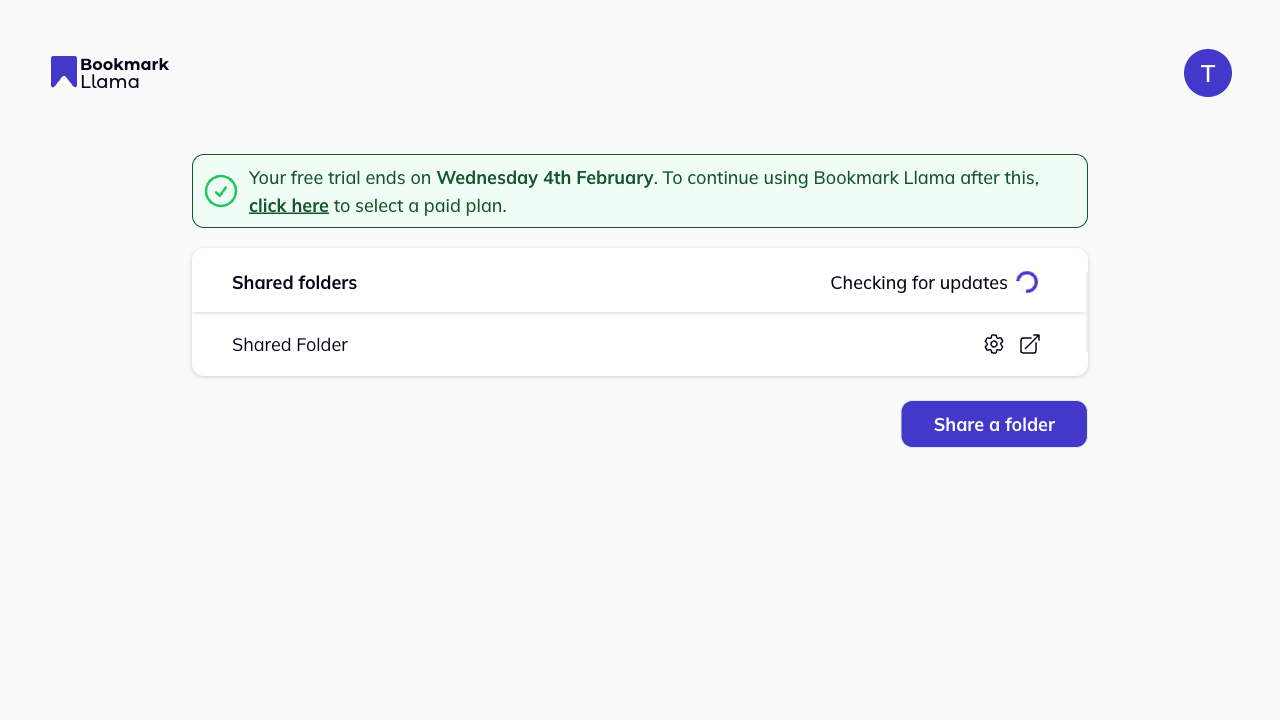
Go to your dashboard at app.bookmarkllama.com. Find the shared folder in your list and click the cog icon to open “Settings” of that folder.
-
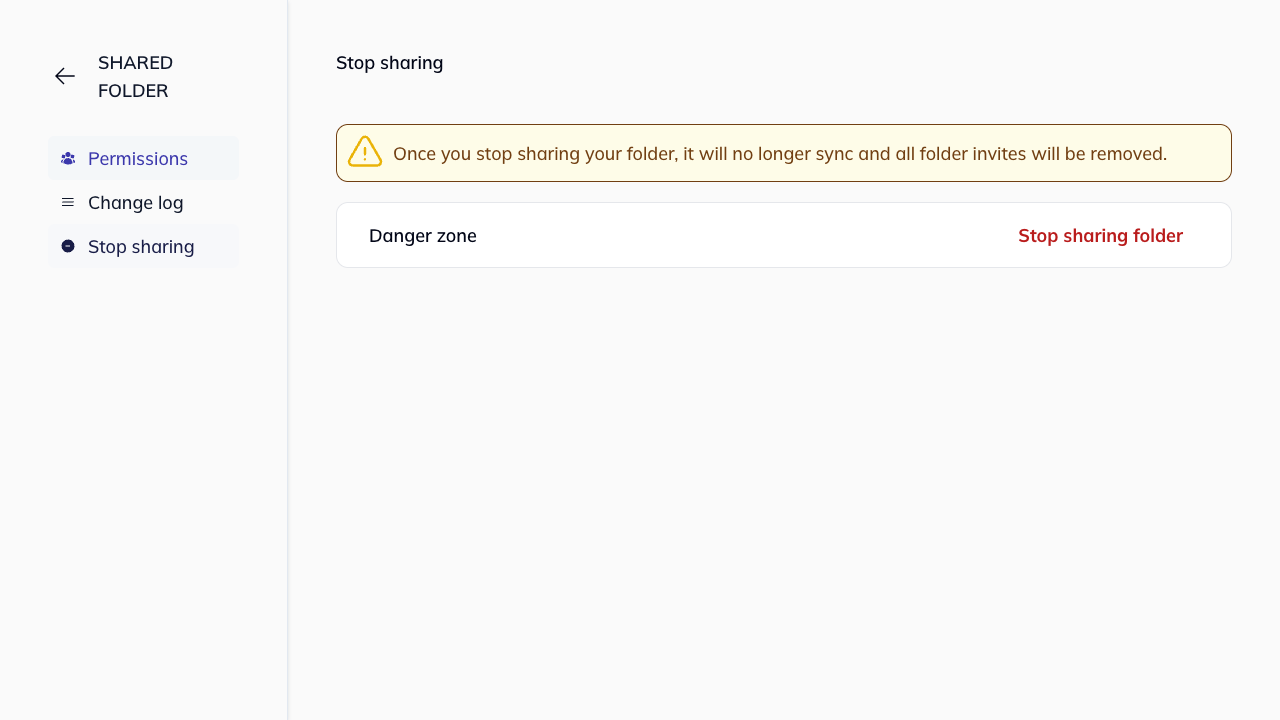
Click Stop sharing in the left-hand sidebar menu.
-
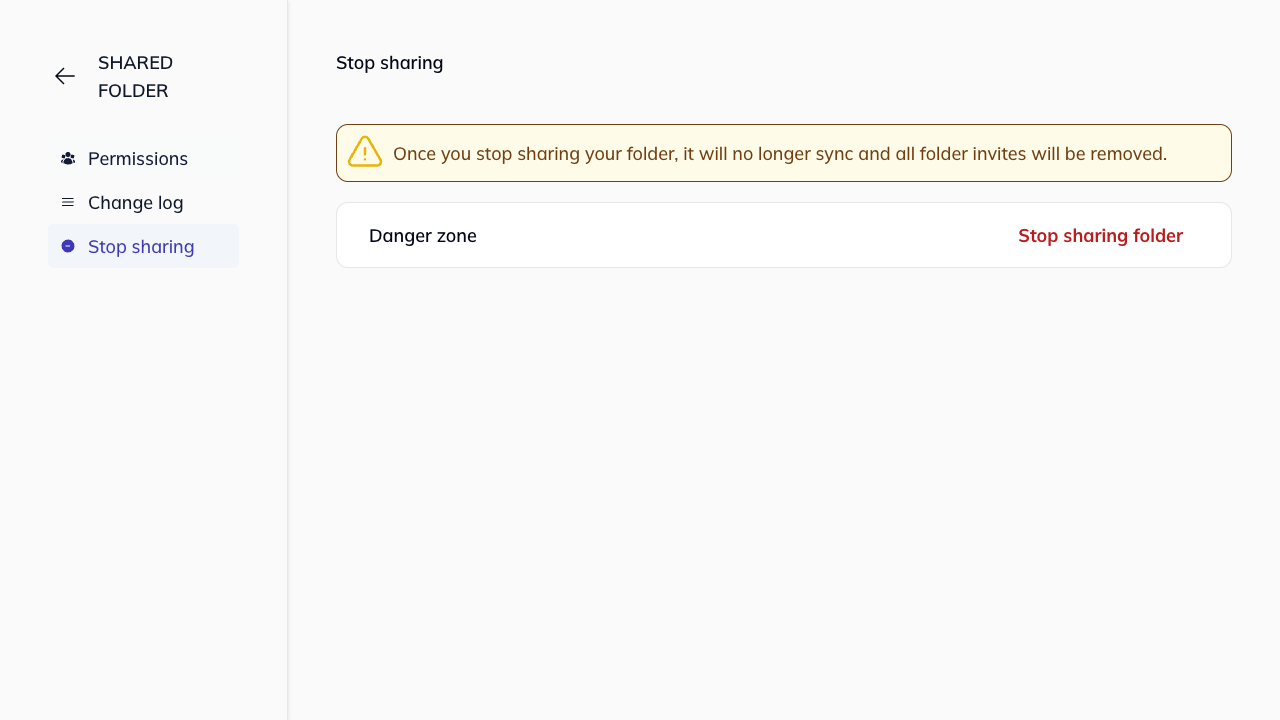
In the Danger zone section, click Stop sharing folder.
-
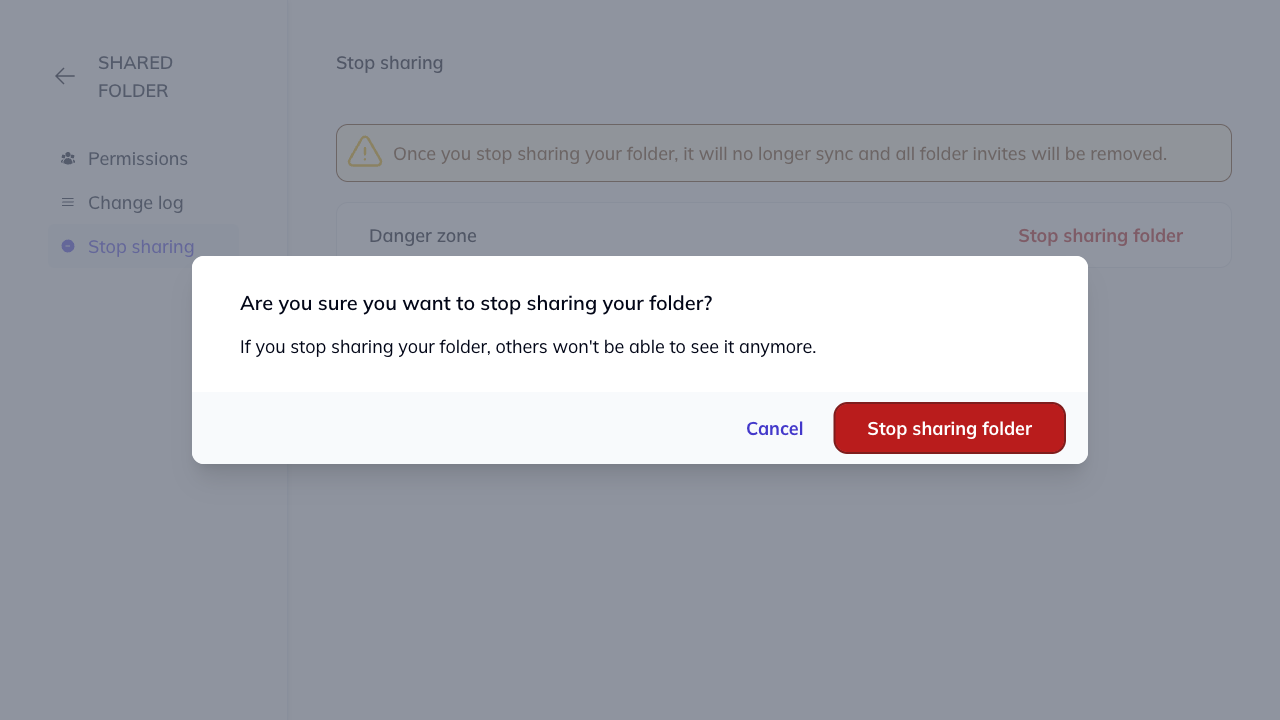
A confirmation modal will appear asking: “Are you sure you want to stop sharing your folder? If you stop sharing your folder, others won’t be able to see it anymore.”
-
Click Stop sharing folder to confirm, or Cancel to go back.
-
Once confirmed, you will be redirected to your dashboard.
Who can stop sharing?
Only users with Manager permissions can stop sharing a folder. Editors and Viewers cannot access this feature. See folder permissions for more details.