
Folder user management
What is folder user management?
Folder user management lets you control who has access to a shared folder. You can add individual users or entire groups, set their permission levels, and remove access when needed.
Only Managers of a folder can manage users and groups of that folder. See folder permissions for more details.
How to add users
-
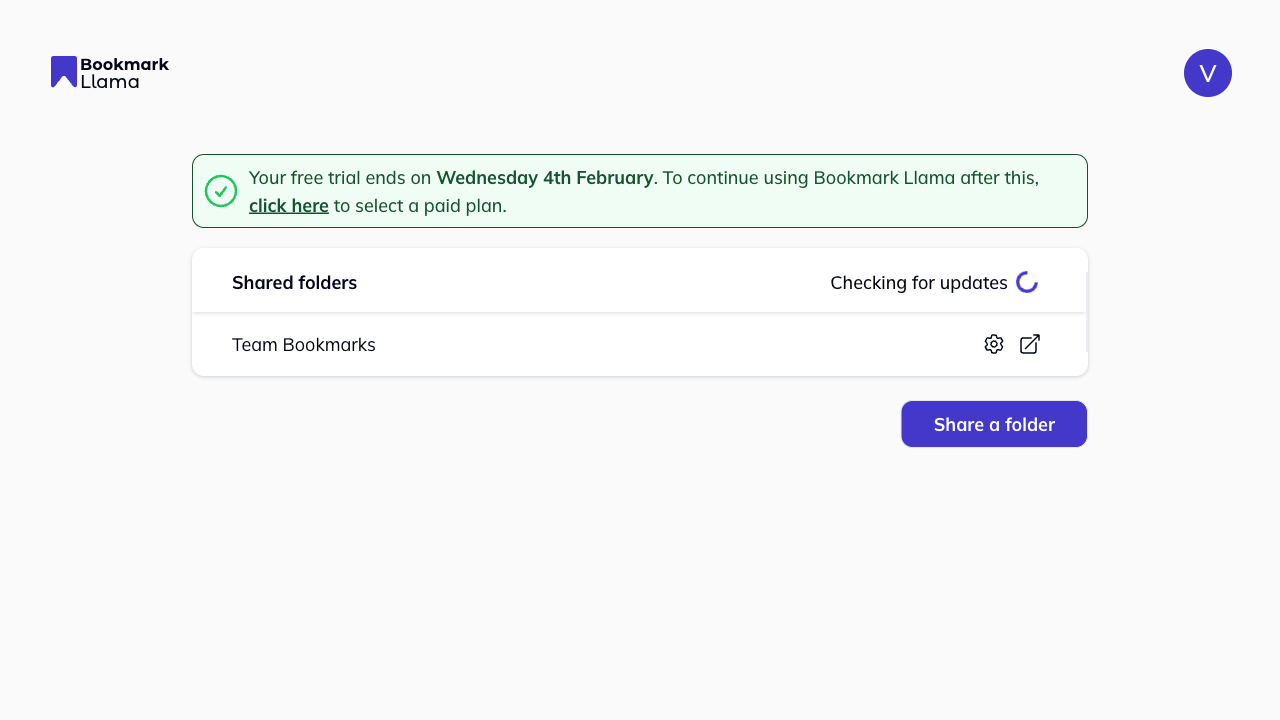
Go to your dashboard at app.bookmarkllama.com.
-
Find the shared folder and click the cog icon to open “Settings” of that folder.
-
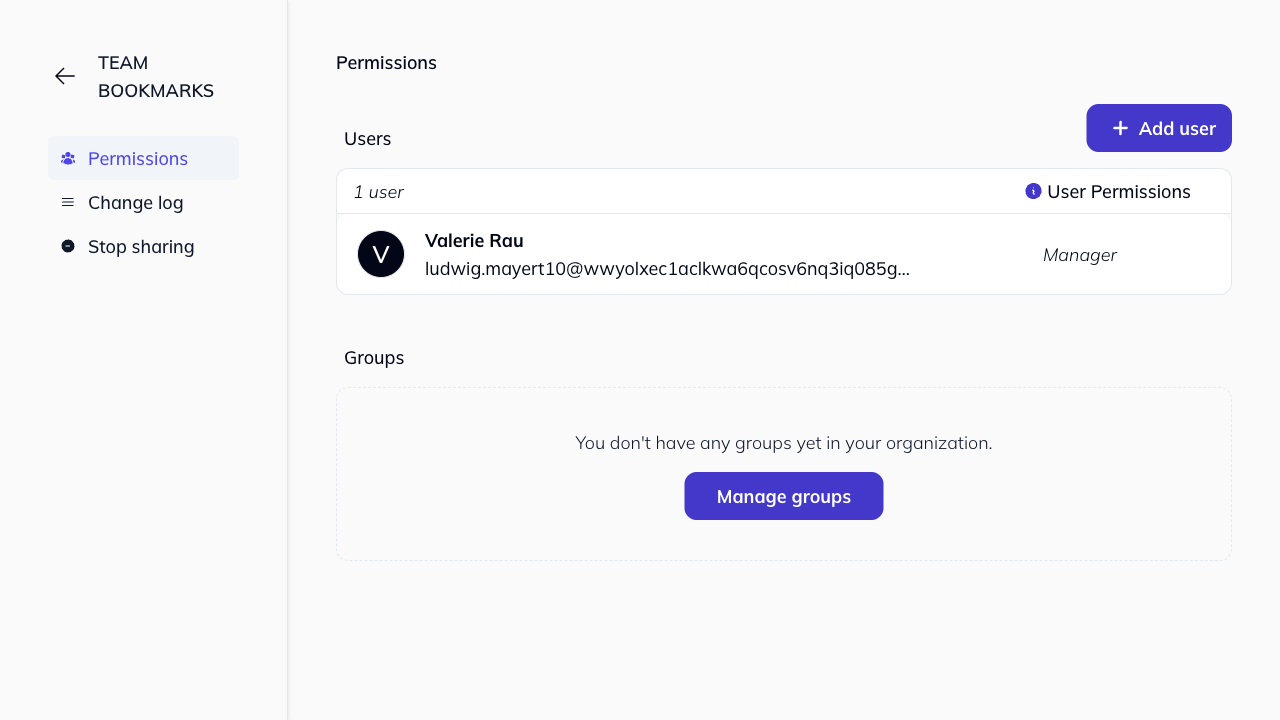
On the Permissions tab, click + Add user.
-
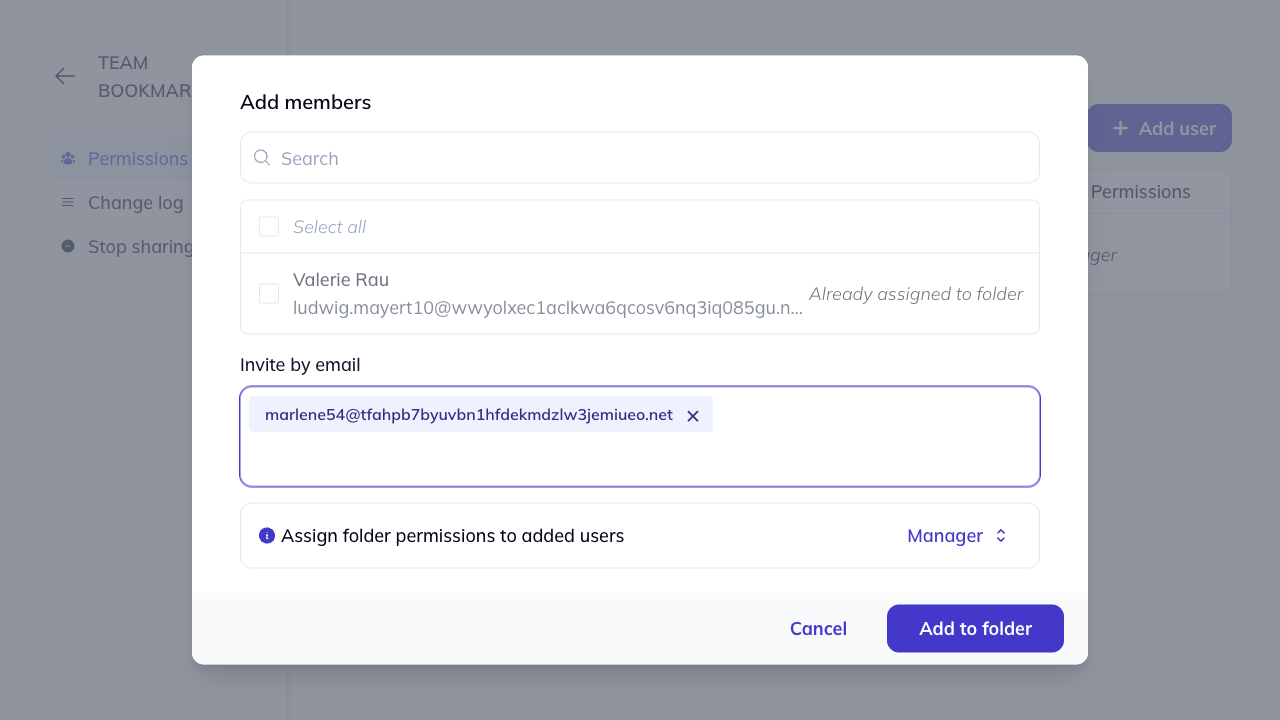
In the modal, you can add users in two ways:
- Select from your organization: Check the boxes next to existing organization members. Use the search bar to find specific people. Members already assigned to the folder will show “Already assigned to folder”.
- Invite by email: Enter email addresses directly to invite new users. They will be added to both the folder and your organization.
-
Choose the permission level for all selected users using the Assign folder permissions dropdown (Manager, Editor, or Viewer).
-
Click Add to folder to confirm.
How to add groups
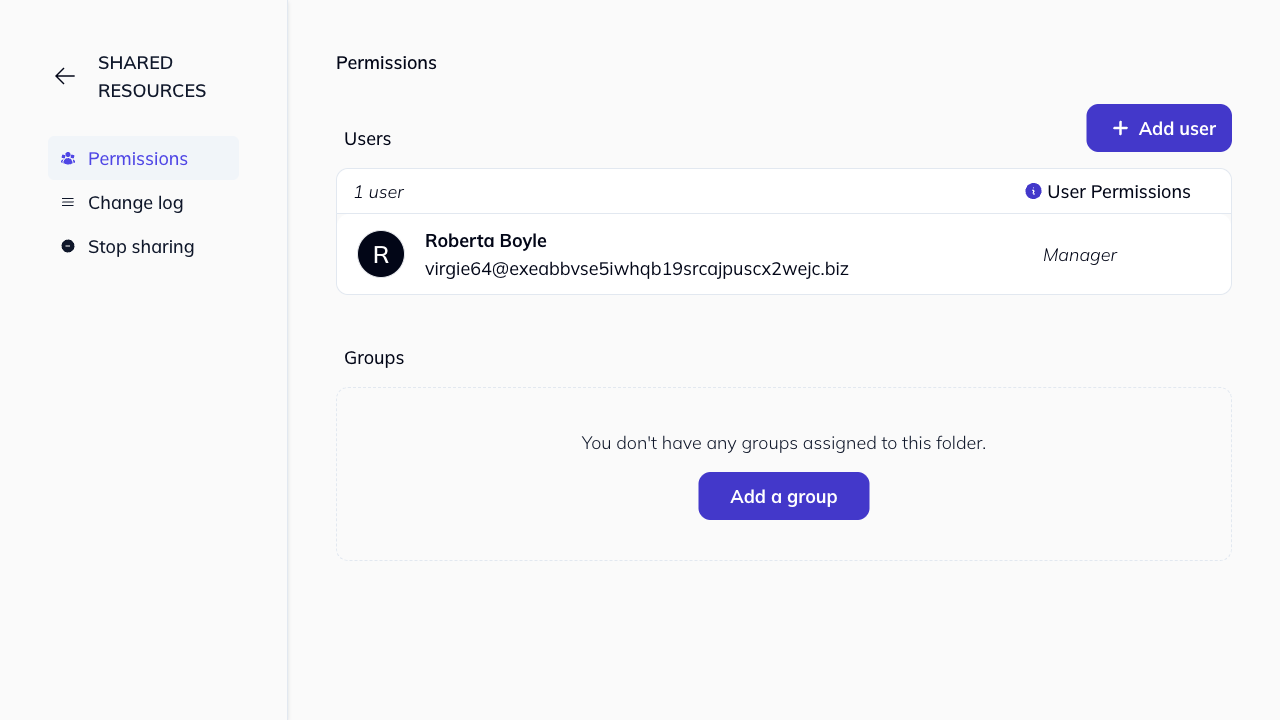
Adding groups works similarly to adding users, but you select from existing groups in your organization. In order to create a group, see our Groups guide.
-
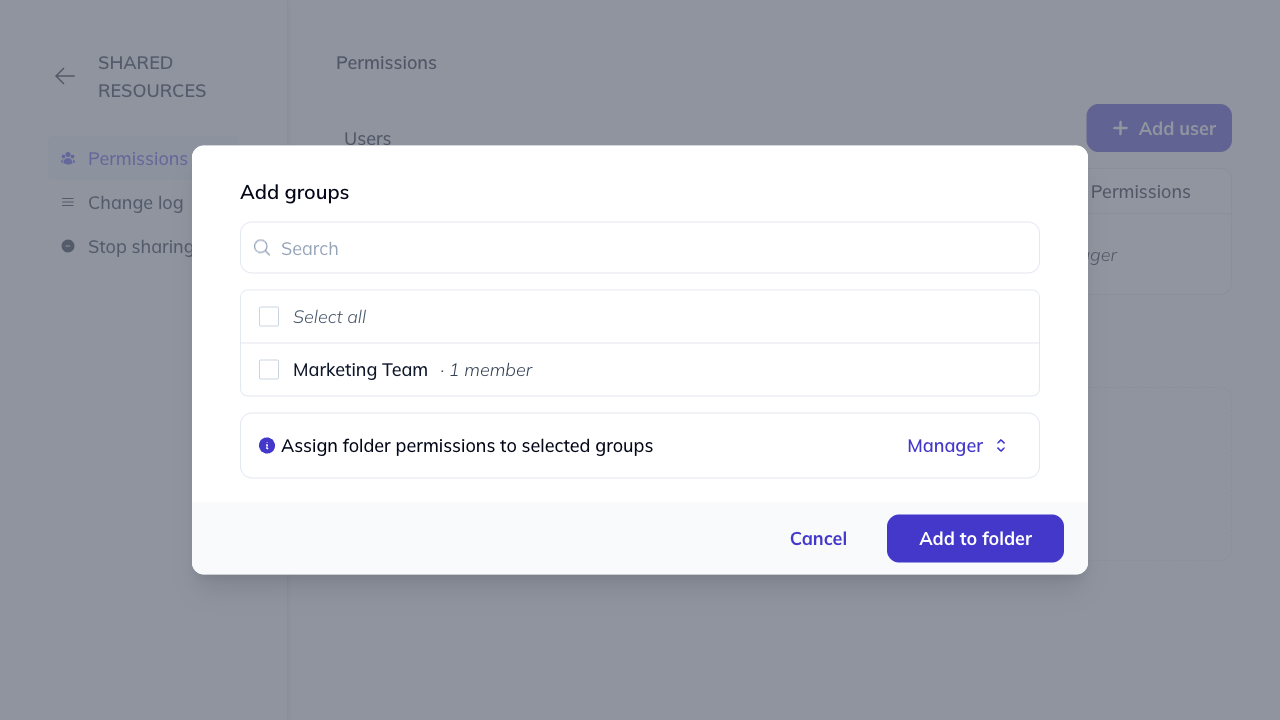
On the Permissions tab, click + Add group.
-
Select the groups you want to add from the list.
-
Choose the permission level for the selected groups.
-
Click Add to folder.
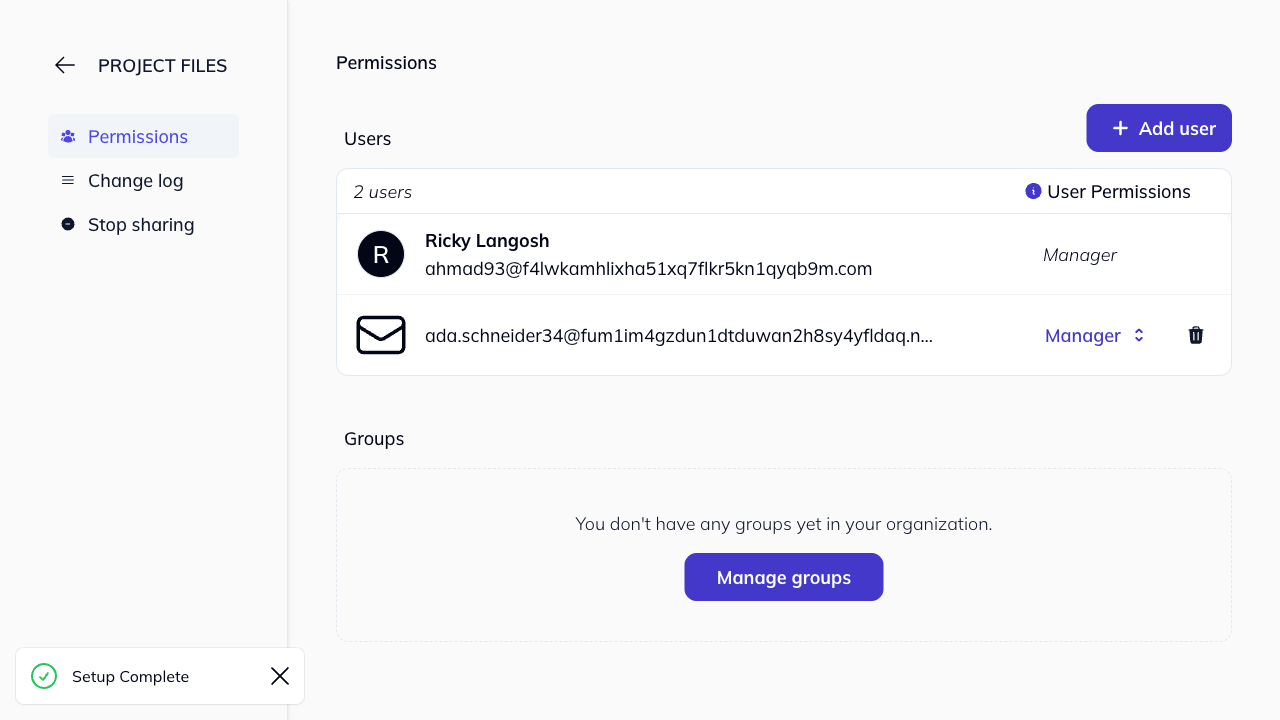
If you don’t have any groups yet, you’ll see a prompt to Manage groups. Click this to create groups in your organization settings. Note: You need the appropriate organization permissions to create groups. Learn more about managing groups.
How to remove users or groups
-
On the Permissions tab in your folder “Settings”, find the user or group you want to remove.
-
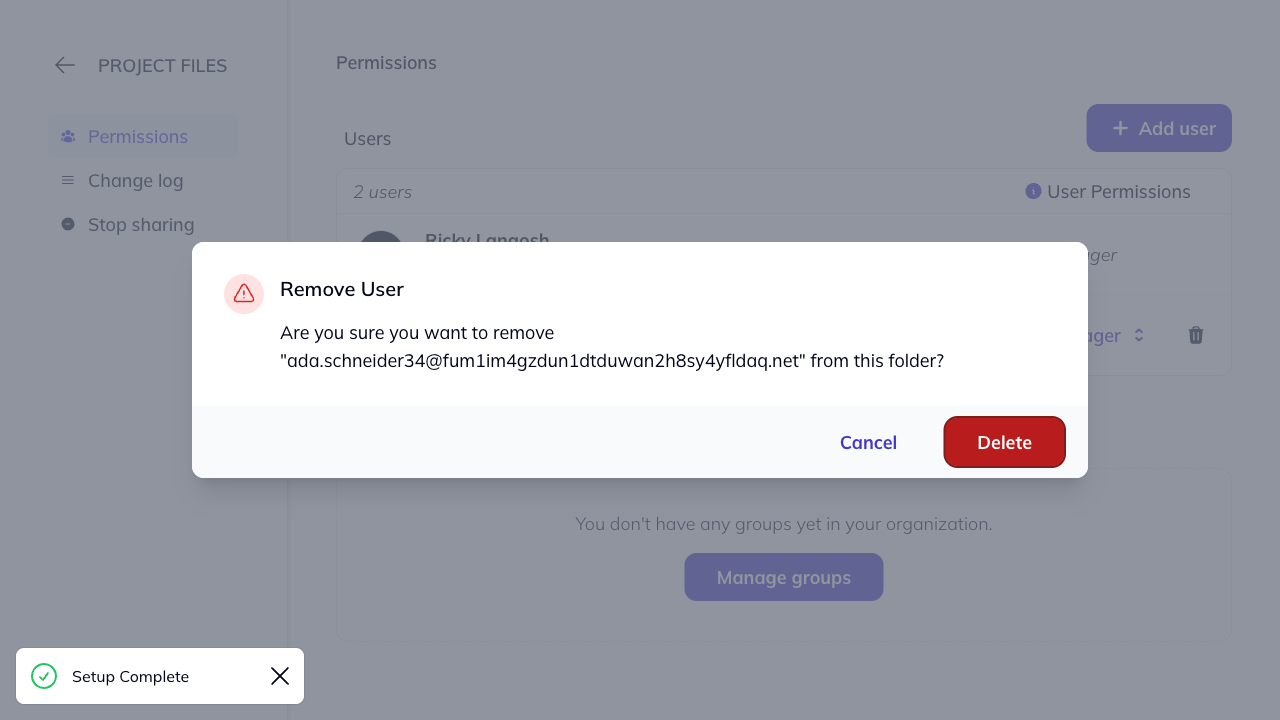
Click the trash icon next to their name.
-
The user or group is removed immediately.
Removed users will no longer see the shared folder in their browser, and any synced bookmarks from that folder will be removed from their bookmark bar.