
Set up encryption
What is encryption?
Encryption protects your shared bookmarks by ensuring that no plain text or readable bookmark data, titles, URLs, or encryption passwords, are ever stored on our servers. All encryption happens entirely in your browser, meaning that even Bookmark Llama cannot read your bookmark contents.
For a detailed technical overview of how encryption works, see our encryption technical document.
Who can set up encryption?
Only Admins in your organization can enable encryption. Once enabled, all users in the organization will need to enter the encryption password to decrypt and access shared folders. See decryption for users for more details.
How to enable encryption
-
Go to your dashboard at app.bookmarkllama.com.
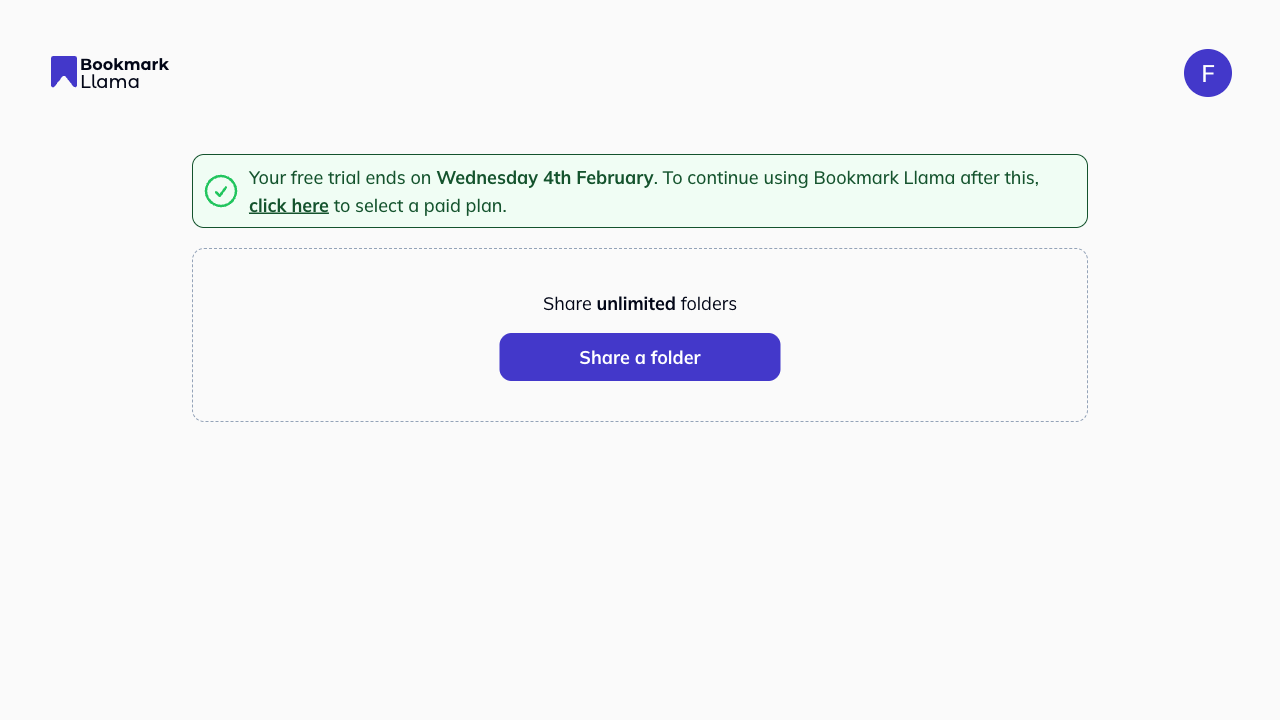
-
Click your profile icon in the top right corner.
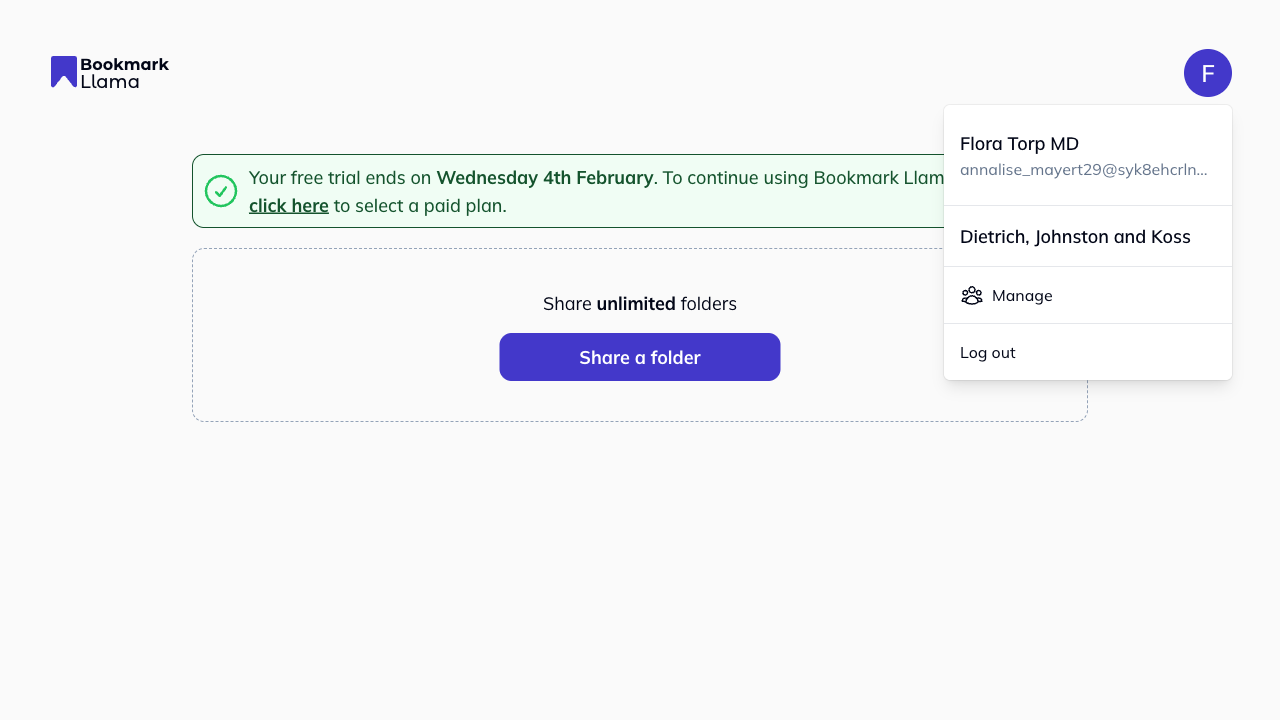
-
Click Manage to open your organization settings.
-
Click Encryption in the left-hand sidebar.
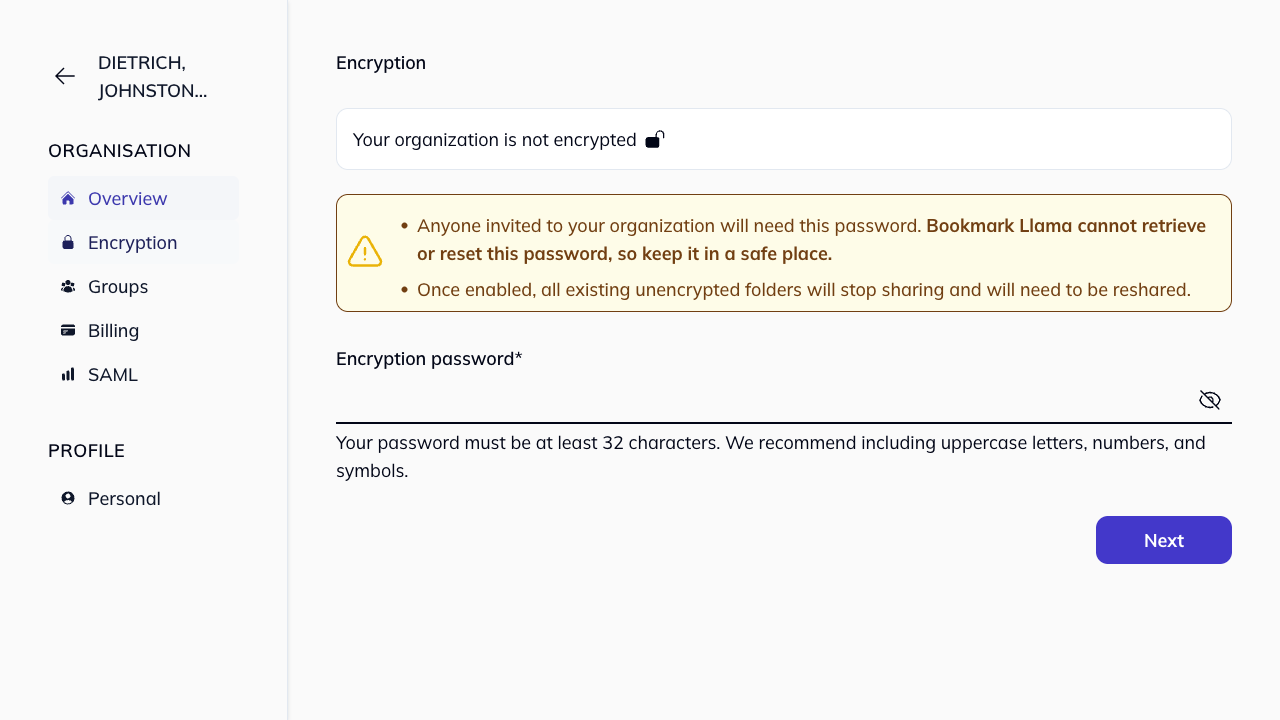
-
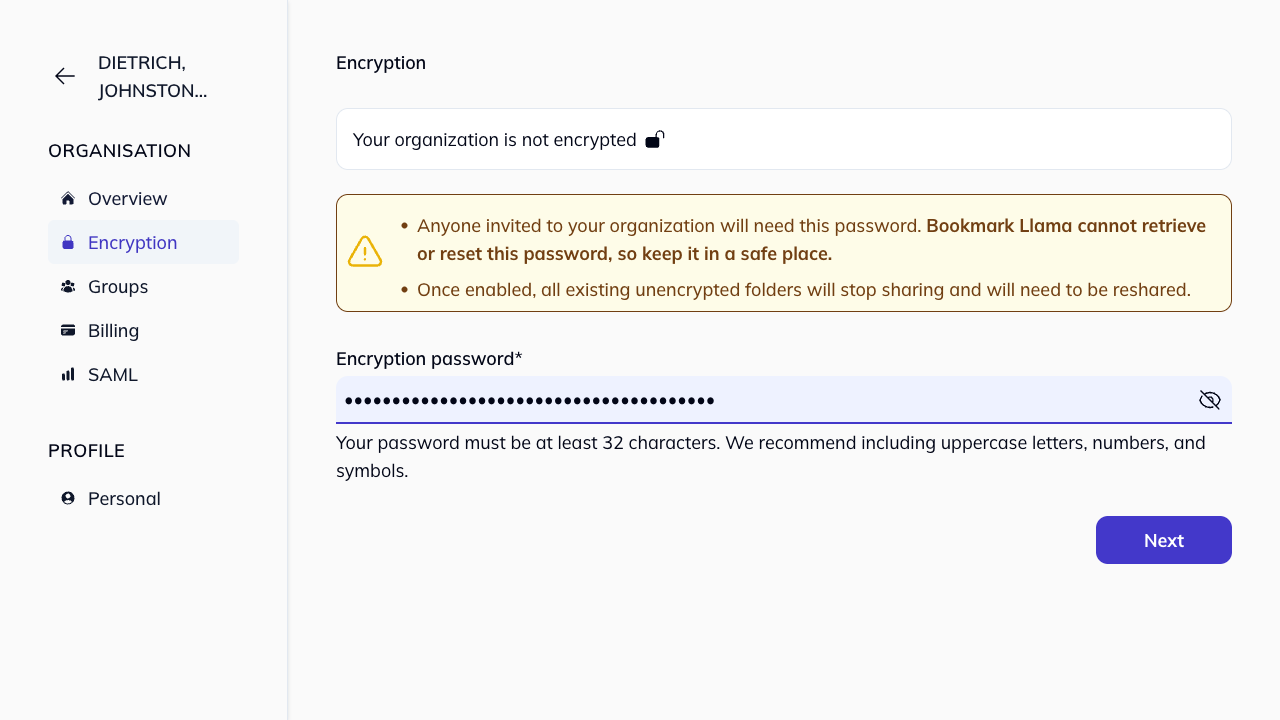
You’ll see a message: “Your organization is not encrypted”.
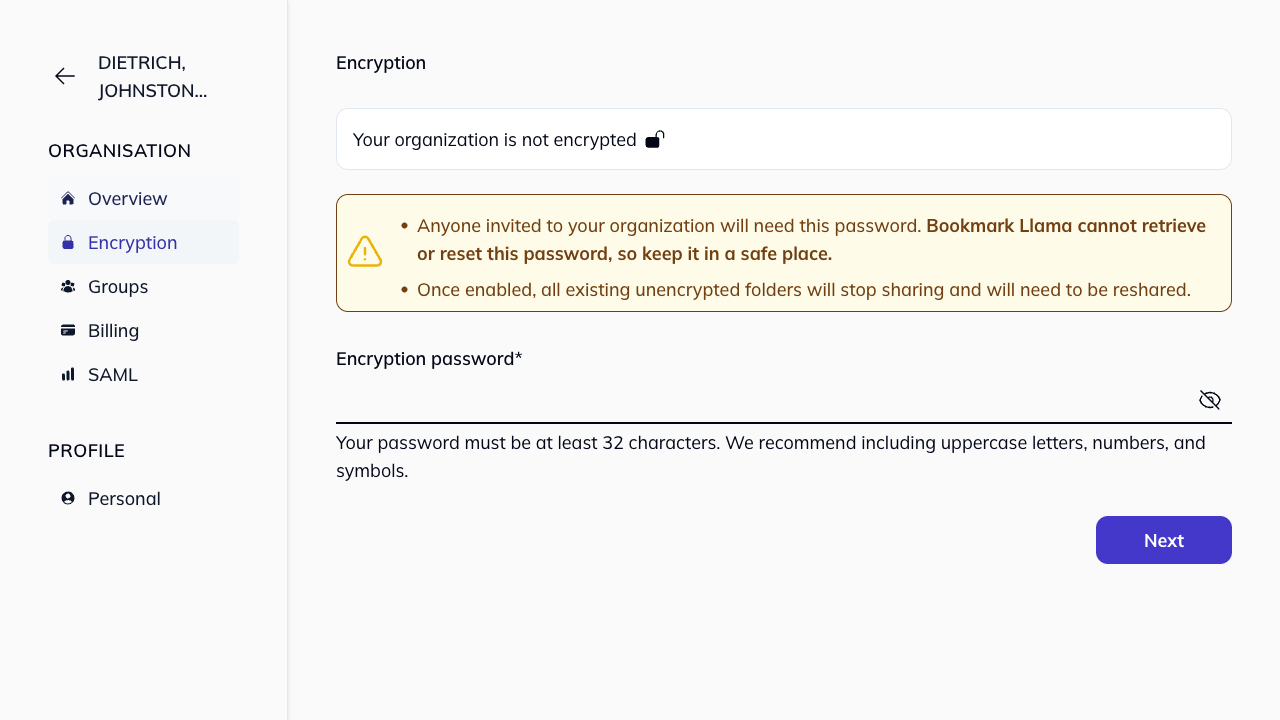
-
Enter an Encryption password (must be at least 32 characters). We recommend including uppercase letters, numbers, and symbols.
-
Click Next to enable encryption.
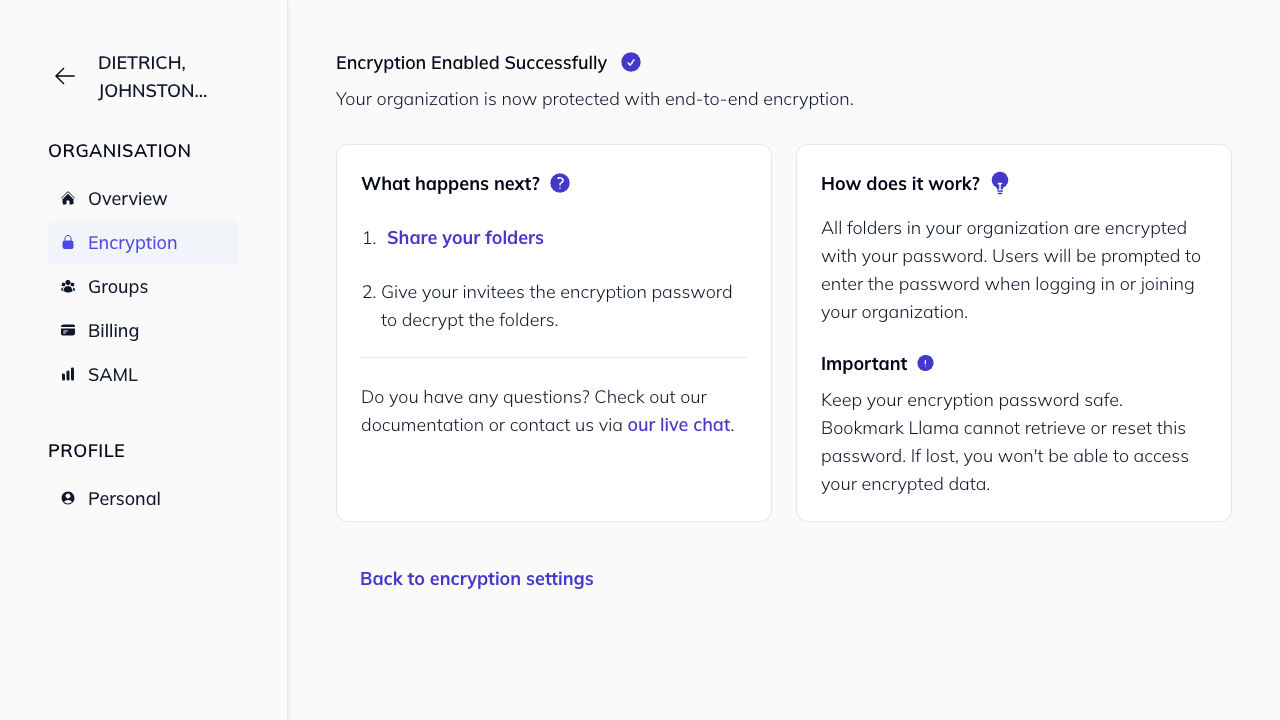
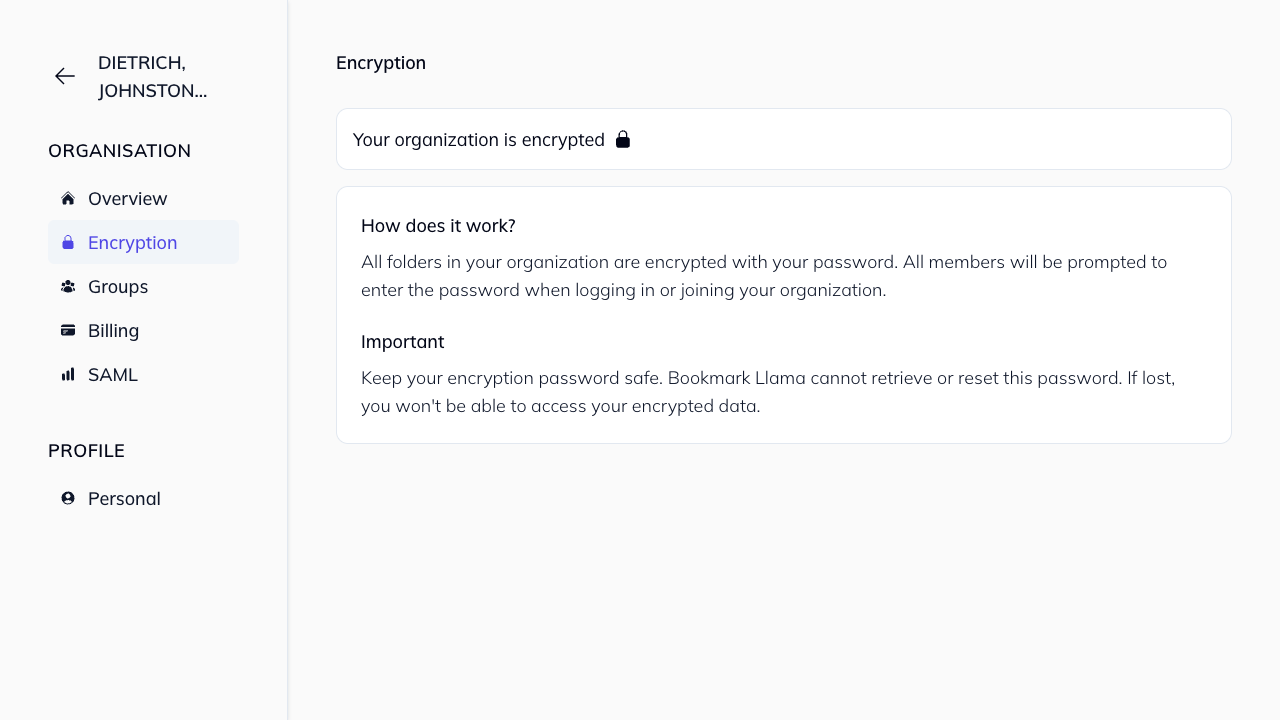
Important: Anyone invited to your organization will need this password. Bookmark Llama cannot retrieve or reset this password, so keep it in a safe place. We recommend using a password manager with access controls (ACL) for secure distribution.
What happens when encryption is enabled?
Once you enable encryption:
- All existing unencrypted shared folders will stop sharing and will need to be reshared.
- All bookmark data (titles, URLs, folder names) will be encrypted before being sent to our servers.
- Team members will be prompted to enter the encryption password to access shared folders.
After enabling encryption
- Share the encryption password securely with your team members.
- Team members will need to enter the password once per device/browser to decrypt the organization. See decryption for users.
- The encryption password is never stored on our servers, only cryptographic keys derived from it are stored locally in each user’s browser.