
Forgot password
How to reset your password
If you’ve forgotten your password, you can reset it from the login page.
-
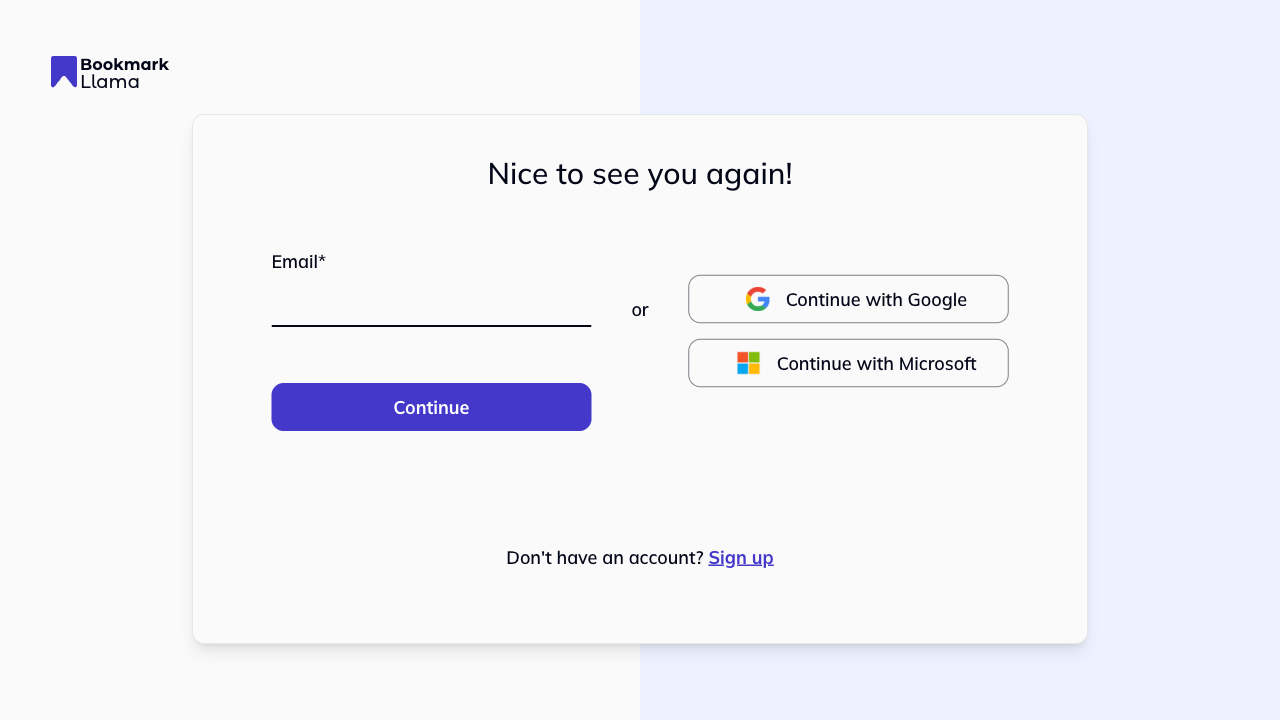
Go to the login page at app.bookmarkllama.com/login.
-
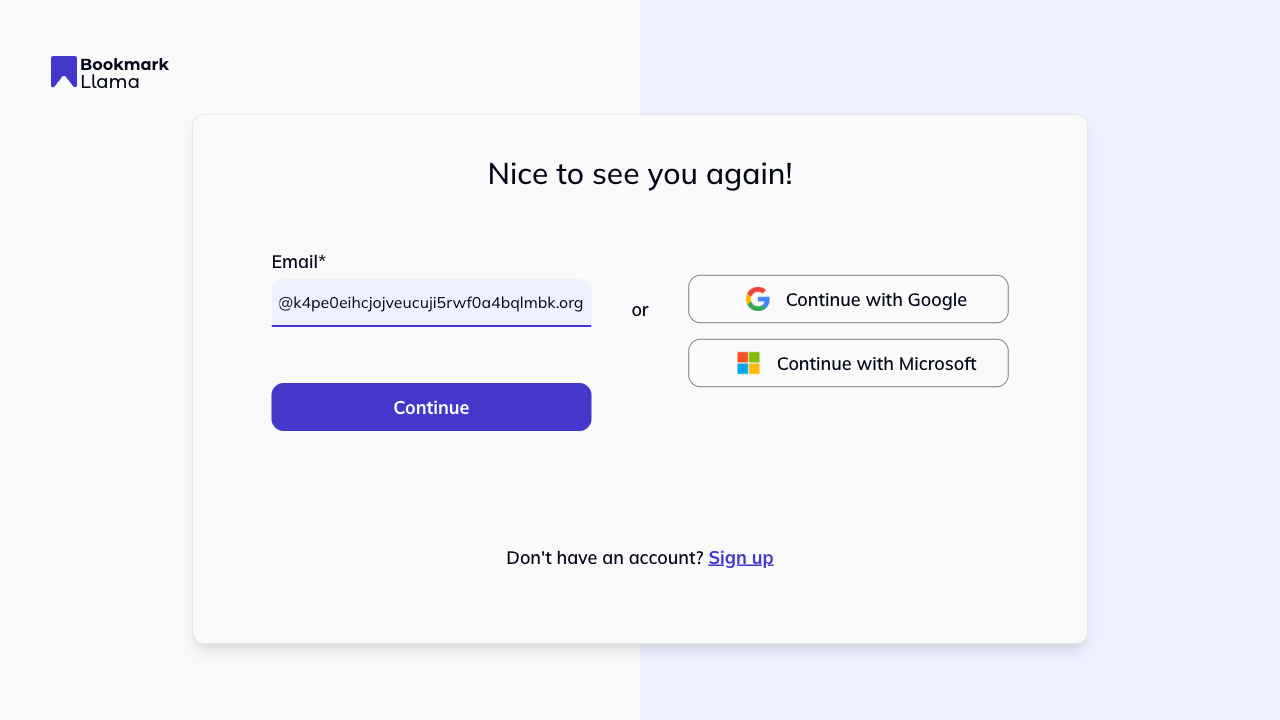
Enter your email address and click Continue.
-
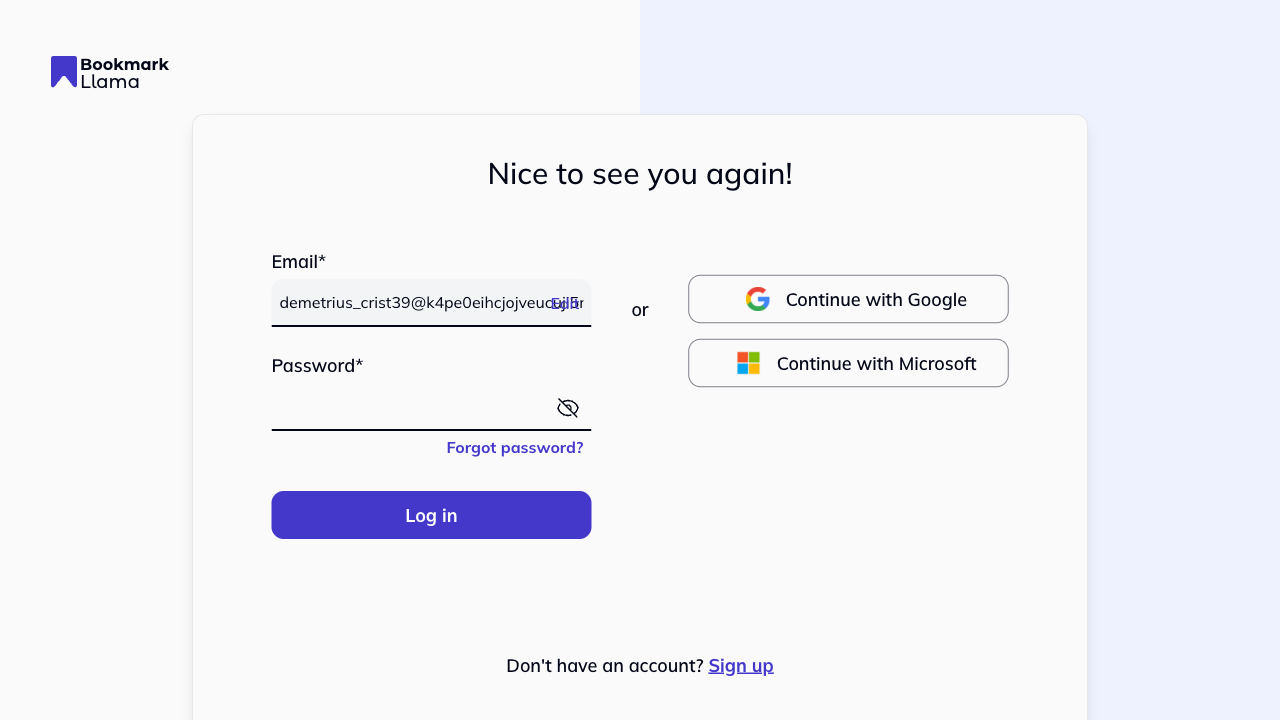
Click Forgot password? below the password field.
-
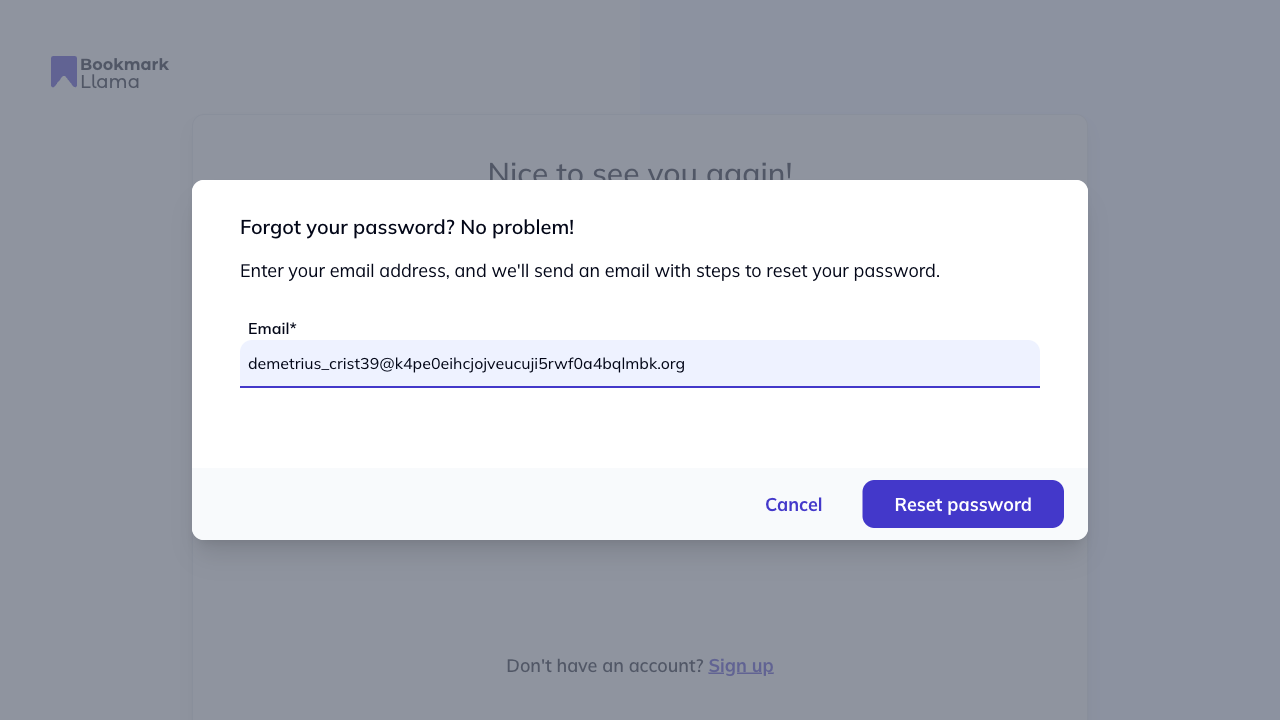
A modal will appear. Enter the email address that you used to sign up to Bookmark Llama initially and click Reset password.
-
Check your inbox for an email from Bookmark Llama with the subject “Reset your password”.
-
Click the link in the email. You’ll be taken to a page to enter your new password.
-
Enter your new password and click Reset password.
-
You’ll be redirected to the login page with a confirmation message. Log in with your new password.
If you don’t receive the email, check your spam or junk folder. The email may take a few minutes to arrive.
Signed in with Google or Microsoft?
If you signed up using Google or Microsoft authentication, you don’t have a Bookmark Llama password. Your account is secured through your Google or Microsoft account, so you’ll need to reset your password through those services instead.